Sunday, September 26, 2010

Overcoming tl;dr on the iPad

tl;dr is defined by Encyclopedia Dramatica as too long; didn't read; if the meaning isn't obvious, just read the article. Shockingly, there are number of books and articles that I have either lied about reading or given a vague nod to indicate that I have read it repeatedly and have written copious notes in the gloss, while the reality is that I tossed the book out of a moving car. For example:


http://encyclopediadramatica.com/File:Ayn_rand_tldr.jpg
I find many things on the web and in my twitter stream that I would like to read, but just don't have time at the moment or I find that the the writing style detracts so much from the content that I need more time to focus on the material. Book marking has never worked for me because I lack the discipline that it takes to maintain a tidy and organized bookmarking schema. Furthermore, bookmarks are merely pointers to the article and not the text itself (which is why I think geospatial data catalogs based on metadata are stupid, but I digress). 


Enter Instapaper, which describes itself as "a simple tool to save web pages for reading later." Instapaper works in the browser, but it also works on the iPad and the Kindle, which means that I always have access to the articles (if I remember to sync Instapaper on the iPad). This ensures that I have plenty of reading material even at 30,000 feet. Instapaper is easy to use and you can install a scriptlet called the Read Later bookmarklet on your browser that saves the web page. Installing the bookmarklet on Safari on the iPad is a little more involved, but the process is documented here.  The other really great thing about Instapaper is that the bookmarklet function (i.e. Read Later) is integrated in many other applications such as RSS readers and twitter clients. That means you never have to leave your current stream of work to throw another article on the pile.


The one short coming is that Instapaper does not support pdfs which academic journals and research white papers seem to favor. Fortunately, iBooks recently added pdf support. I add pdfs to my book archive by downloading them to the Automatically Add to iTunes directory (/Users//Music/iTunes/iTunes Media/Automatically Add to iTunes/); which, as the folder name says, adds the pdfs to iTunes.  When I sync the iPad with iTunes, all the pdfs are transferred to the iPad.


RSS feeds, like bookmarking, do not work for me because they are essentially all you can eat buffets of links that lack curation. I can't be bothered to sift through all of that. This is true of especially podcasts, where they encourage users to subscribe to a stream. Typically, I just want to listen to a podcast or an audio file. Huffduffer is like Instapaper, but it bookmarks audio files using a bookmarklet called Huffduff it.  Huffduffer creates an RSS feed of the audio which can be added to iTunes so you have your own curated Podcast channel. 


Finally, Youtube also has a lots of content where the video isn't terribly important and an mp3 works just as well. Download Helper is a a Firefox extension that can download video and convert it to other formats such as mp3.  Using Downloader Helper's preferences menu, I set the download directory to the Automatically Add to iTunes directory so it's added to iTunes and loaded when the iPad is synched.

Thanks to Joel Ludwig (@joeludwig) for the twitter exchange that prompted this post. 


Friday, September 10, 2010

What's your excuse?

Seriously, what reason do you have for not deploying a map server? Take your pick of the open source map servers or even a commercial one. The cost of deploying a map server on the Internet is $5.12/month for 100% usage on Amazon Web Services. There's a one time charge for a 1 year ($54) or 3 year ($82) reserved instance on an EBS boot (read you won't lose your work if you terminate the instance).  If you want to host a low bandwidth map server for testing, learning, or just because you have cool data to share via maps, a micro instance costs $5.12, as the Amazon Simple Monthly calculator shows:


Wednesday, August 11, 2010

Your information is somebody's asset

The Electronic Frontier Foundation published an article about the disposition of assets belonging to the defunct XY.com/XY magazine that included the personal information of their 1,000,000+ former subscribers. The parties in the XY.com case reached and agreement to destroy all personally identifiable information as suggested by the FCC.In this instance, things ended well for the former XY.com customers.  However the law is unclear on how to handle corporate assets such as customer lists.  


I recently received an email from Derek Sivers, the founder and former CEO of CDBaby. I've bought CDs and mp3s through CDBaby in the past, so my information was part of CDBaby's corporate assets. What is interesting is that Derek Sivers contacted me a couple of years after he sold CDBaby. Siver's email was a, "Hi, I wanted to tell you about my new projects." Definitely not creepy, and interesting enough for me to click through a couple of links. However, using a contact list from his former company seem incongruous. I wasn't the only one:


@sivers What's up with this email you sent out to old CDBaby members? Did you take a list of emails/purchases/credit cards when you left?  (from Jon Ursenbach)
Derek Sivers replied:
@jonursenbach I got to keep my database of clients and customers for two years, yes. Many are good friends. 
His email also mentioned the last album I bought from CDBaby, so I'm fairly sure he has access to complete database. Thanks to the Internet Archive Wayback Machine I can check on the privacy policy around the time I bought my last album from CDBaby.


So Derek Sivers is not another company, but when he sold the company he became an external party that had access to CDBaby's customer database. No being a lawyer, my best guess is that Siver's access to the customer database falls within the letter of the CDBaby's privacy policy.  Having sold a company, I'm well aware of the details and negotiations that go on during a sale. But having access to the customer database as a condition in the sale of a company strikes me as out of the ordinary. 


I do believe that the email Sivers sent was genuinely part of a friendly hello, get in touch, soft marketing campaign. However, it was unexpected and makes me just that more leery of blanket privacy policies. CDBaby continues to have a similar privacy policy:

We don’t give or sell your personal info to any other company - EVER! (Not even your email address!)
Only the musicians whose music you purchase will know who you are. If you don't even want the musician to know who you are, you can easily change your customer account settings to remain anonymous.
In contrast, Bandcamp (my current favorite place to buy music from independent musicians) has a very detailed privacy policy that specifies the conditions that determine how your personal information is shared, including the transfer of assets in the event of the sale of the company. The Bandcamp privacy policy is very clear that any information I provide becomes the property of Bandcamp. This isn't much comfort, but at least I know what I'm giving up.

Tuesday, August 10, 2010

Updating a T-Mobile myTouch to Froyo (Cyanogenmod-5)

During last week's geekgasm, I upgraded my T-Mobile myTouch to Froyo because I've lost all hope of T-Mobile providing an OTA Froyo upgrade. There are many sites that describe how to root an Android phone and the Cyanogen site has minimalist install instructions, so these are notes are for the process I muddled through. They are as much for me as for other folks.


A couple of things before starting. 
  • Back up your SD card or use another one, this process will wipe out all your data, photos, etc. 
  • All the download links here are for an old style myTouch, not the one with the earphone jack on the top, or the myTouch Slide. The process is the same but you will have to find images for your phone.
  • There are points during the install where it seems nothing is happening or the install is locked up. My advice is to wait and don't be impatient and reboot. The boot cycle after loading a ROM can take quite a while.
  • As a convention, green text is a summary of what you are going to do and red text are steps I ignored.

Updating the myTouch to Cyanogenmod-5
  • Downgrade your myTouch to 1.5 to install a custom recovery image that can load a custom ROM.
From theunlockr.com: 
I. Downgrade to Cupcake


1. Download the Original SAPPIMG.nbh:
Original SAPPIMG.nbh
2. Plug the phone into your computer via USB. Select Mount by pulling down on the notification bar at the top of the phone’s screen and selecting the USB notification. You should now be able to access the sd card in your phone on your computer.
3. Now, put the .nbh file that you just downloaded on the root of the SD card (NOT in any folder, just on the sdcard itself).
4. Unplug the phone and turn it off.
5. Turn on the phone by holding the Volume Down button and the End key until the bootloader screen comes up.
6. Hit the End key to start the update. DO NOT INTERUPT THIS PROCESS.
7. Once it is done, hit the trackball to restart the phone. You now are on the stock Cupcake firmware.
II. Flash a Custom Recovery Image
1. On your phone, goto Settings > Applications and make sure Unknown source is checked ON
2. On your phone, goto Settings, SD card and phone storage, and click Unmount SD card.
3. Then click Format SD card (it should automatically remount after this).
4. Plug the phone into the compuer via USB, then pull down the notification bar and click on the SD card notification. Then click mount.
5. Download this APK and the recovery image and save it to your computer:
FlashRec.apk
Amon Ra’s Recovery Image
6. Once they are saved to your computer, copy them both to your SD card (do NOT put them inside any folders on the SD card, just put them on the SD card itself).
7. Unplug the phone from the computer once they are downloaded to the SD card.
8. Goto the Market and download Linda File Manager or any file manager program if you do not already have one.
9. Open the file manager and goto SDCard and then find the FlashRec apk file and click it. If asked tell it to use Package Installer to open it. It should automatically install the apk.
10. Open the FlashRec program and click on Backup Recovery Image and wait for it to finish.
11. Once done, click on the empty text box in the FlashRec program and type:
/sdcard/recovery.img
Then click on the Flash Custom RecoveryImage button and wait for it to finish.
12. Turn off the phone and turn it on into Recovery mode by holding down Home and Power to turn it on (keep holding until the recovery screen comes up has a bunch of text on a black background). So long as that screen comes up, LEAVE IT ON THAT SCREEN, you have done it correctly and can now go on to loading a ROM .
III. Partition Your Memory Card for Hero ROMs, Swap, and Apps2SD 
1. With your phone STILL in recovery mode from the How To Root procedure, click on Partition SD Card > Partition SD (this will erase everything off of your memory card).
2. When it asks you, select 96mbs for Swap, 512mbs for ext2 and fat32 for the remainder
3. Once it is done partitioning the memory card, click on Partition SD Card > SD: ext2 to ext3 
  • At this point you can load Cyanogenmod-5 (Froyo 2.1)
Once you have the custom recovery image loaded, you can load a basic rooted ROM such as the Generic MyTouch ROM w/ Root – Here 
Instructions from forum.xda-developers.com
1. Root your device and install Clockwork Recovery (ROM Manager on the market) or Amon_RA's recovery (Dream / Magic)
2. Do a Nandroid backup!
3. Install the DangerSPL if you don't already have it
* NOTE:  I skipped the steps in red because the myTouch was already wiped from the downgrade to Cupcake 1.5, so I didn't see much point in doing a back up. Using the custom recovery image I loaded the Cyanogenmod-5 ROM directly.
  • if you want the google apps (who doesn't?), download the google apps image (don't unzip)
  • copy the files to the root of the sdcard by plugging the myTouch into the USB port and selecting USB-MS Toggle in the Recovery mode menu 
4. select WIPE in the Recovery mode menu
5. Install the ROM from the zip file
6. Optionally install the Google Addon if you want Google Applications like Gmail and Market
  • Feeling more adventurous?
Try a nightly Cyanogen build, I'm running one and it's been very stable. You can also install Clockwork Recovery, which is a recovery image with a user friendly front end. Makes loading ROMs much easier.

Monday, July 26, 2010

Why location privacy matters

I attended The Next HOPE, the 8th installment of the Hackers on Planet Earth conference, last weekend. I've attended "hacker" conferences over the past decade and I've rarely seen  location or geo content with the exception of the war driving contests in the early '00s. I was excited that HOPE had a number of geo related sessions ranging from location privacy to hacking your GPS.


Ben Jackson from Mayhemic Labs presented Locational Privacy and Wholesale Surveillance via Photo Services. Jackson sampled 2.5 million photo links posted to Twitter, Twitpic, YFrog and Sexypeek and retrieved latitude and longitude from the EXIF metadata from 65,000 photos. His message was that users are leaking location information, often with knowing it. To publicize his findings, Jackson established ICanStalkYou.com to let users know that they could be easily located. 


In a similar vein, Paul Vet presented Geotagging: Opting-in to Total Surveillance (video available). His tag line, "One geotag is anecdote, many geotags are data," summarizes his position that information about a person's location (home, work, entertainment) and habits (timing) can be derived from mining their twitter stream. Like Jackson, extracting tweets with key words such as bed, home, TV and extracting the location data could be used to build a profile of a person's home, place of work, and their habits. Even tweets from friends, such as "Playing XBox with @username" adds additional information. Vet used a clustering algorithm to further refine individual coordinates in probable locations.


I also followed the GeoLoco conference via Twitter. Panelists in the Future of Geo-Location Panel responded to predictions collected by Dr. Phil Hendrix, the moderator. Here are two predictions that impact location privacy:


2. Location-awareness will be integral to any mobile app.
The panelists mainly agreed with this statement, with the observation that not all mobile apps will need LBS.
“For me, this is obvious,” Eisnor said. “With increase in precision, we’re moving towards an ecosystem of location-aware devices.”
“We’re going to have way too many devices in 2014; we will need to know where they are,” said GigaOM’s Liz Gannes.
4. Virtually all user-generated content will be geo-tagged.
In Ron’s words, “That’s already happening today,” but some of the panelists had reservations about a totally geo-tagged world.
“We’re going to find situations where location-sharing can be very weird,” Scoble said, noting that a recent deal between Rackspace and NASA could have been discovered before it was announced if observers had been tracking both organization’s locations.
“We’re getting to the point where journalists could know what the intelligence community does,” Liebhold said. 
The attitude of conference attendees (via Twitter) towards location privacy seemed to take a back seat to the business of monetizing location, despite the possibility that location privacy issues could make or break a company.


Another week, another hacker conference. This time Thomas Ryan will be presenting Getting in Bed with Robin Sage; which describes his exercise of creating a fake twenty-something year old woman who worked for Naval Network Warfare Command. Robin Sage was able to collect 300 connections on LinkedIn, 110 Facebook friends, and 141 Twitter followers. Robin Sage was able to view photos with location information from Afghanistan and Iraq in Facebook and Twitter. Sage even received job offers and dinner invitations. More information about Robin Sage is available from darkreading.com.


While the US ponders the release of (six month to years old) information from WikiLeaks. It is worth noting that we might want be looking at social media when it comes to releases of information that endanger operational security in the present day.

Saturday, July 24, 2010

Fixing a bricked Dell Mini 9

The Dell Mini 9 has been sitting on the corner of my desk for several months now, unloved and more importantly uncharged. I'm going on vacation soon and I wanted to bring it along for casual coding instead of  my work notebook. I fired it up with a very dead battery and the Dell Mini failed to recognize the battery - ugly orange LED blinking at me. 


What to do? Forums suggested resetting the bios by unplugging and unplugging the CMOS battery. That didn't work, despite the fifteen minutes I spent unscrewing the 25 or so screws that hold the Dell Mini together.


More searching led to flashing the BIOS to make it recognize the battery. Dell only provides a Windows executable for BIOS upgrades (too bad for you cheap bastard, you bought a Mini with Linux), but the enterprising users at Dell Mini Forums packaged a image with DOS and the BIOS flasher that runs on a USB stick. The package and instructions can be found on the Dell Mini Forums.


The BIOS flasher checks to see if the both the battery and power supply are plugged; if neither one is plugged in, then it exits. Since the battery was unrecognized, the BIOS flasher exited. This is where it the fun begins.  You can make the BIOS flasher ignore the power supply and battery checks by running the BIOS flasher with a /forceit option.


The first time I ran the BIOS flasher, it worked correctly. However, the battery was still unrecognized. I'm a great believer in the maxim, "If it jams, force it. If it breaks, well it wasn't working anyways." So yes, I ran the BIOS flasher a second time, and this time the screen went blank and the Dell Mini would not reboot, despite my frantic poking at the on button.


Fortunately, there are many people much smarter than me who are willing to share their smarts. Instructions for recovering a bricked Dell Mini 9 are available at fosk.it


Sometimes no amount of voodoo and vulcan nerve pinches can recover a thrashed computer, so it seems the only solution is to buy a new battery.

Wednesday, July 7, 2010

2010 Nominations for Sol Katz Award for Geospatial Free and Open Source Software

It's that time of year again, nominations for the Sol Katz Award for GFOSS are open. I am honored to serve on the selection committee and I dug up my notes introducing Sol Katz's legacy at the 2005 MapServer MUM3/EOGEO User Conference (intro by Sol's daughter Shanna):
Sol Katz was born in Sweden and emigrated to the United States at the age of one. He was a US Air Force veteran and earned Masters degrees in Geology and Computer Science. Sol was employed but the Bureau of Land Management in Denver. Sol passed away in 1999 from Non-Hodgkin's Lymphoma and he is survived by his wife Heidi and daughters Shanna and Risa.
Sol was an early pioneer of geospatial open source software. His contributions to FOSS include:
  • a key developer of MOSS (Map Overlay and Statistical System) on Data Generals and later, releasing and maintaining PC MOSS
  • release binaries and source for DEM and SDTS translators
  • reverse engineering the ESRI e00 exchange format and publishing the format
  • maintaining a website with links to web mapping and metadata that provided an invaluable resource to implementors
  • being an active participant on multiple list-servs guiding and mentoring GIS newbies such as me
Sol's contributions help build the nascent open source geospatial community which was a precursor to the many geospatial open source projects and communities of today. The Sol Katz Award for Geospatial Free and Open Source Software commemorates Sol's pioneering efforts.

Nominations for the Sol Katz Award should be sent to SolKatzAward at osgeo.org with a brief supporting statement for the nomination. Nominations will be accepted until 23:59 UTC on August 20th. The OSGeo announcement with more details can be found here.

Sunday, June 6, 2010

The map fades

At Wherecamp 2010, I twittered, "as we extend our senses with sensors the map fades." The idea that maps will eventually become obsolete and affectations for future descendants of steampunk aficionados has been difficult to let go. Mike Liebhold started the idea by asking the question, "is 1:1 scale mapping a reasonable idea" on the geowanking list. This touched off a thread that included David Asbury's response containing a link to quotes that touch on the various facets of the 1:1 map. Quotes from the comedian Steven Wright and writers Jorge Luis Borges and Lewis Carroll highlight the absurdity of such a map; and respondents to the question cited information overload would make such a map impractical.


The answer is simple, there is no map. It's gone. Moving freely through the world without resorting to abstractions of location places a large cognitive burden.  Studies of societies steeped in wayfinding have shown that they have developed acute abilities to distinguish environmental clues and extract meaningful information.  What if you no longer need years of experience to develop wayfinding cognitive abilities? 


Wikitude Drive - Test Drivers Wanted from Wikitude on Vimeo.

Friday, May 28, 2010

Locative Media: A New Augmented Reality Blog

Yep, just like we all need a hole in the head, I'm starting an augmented reality blog. The augmented reality stuff doesn't really fit; well nothing really fits in this curmudgeonly hodgepodge of technology, geospatial, and occasional cello posts.


I've been hoarding the locativemedia.org domain for years, so it's time to put it to good use.  With out further ado: Locatively

Saturday, May 22, 2010

HTC EVO 4G Unboxing

Sprint and Google generously gave attendees of of Google I/O 2010 a HTC EVO 4G smartphone.


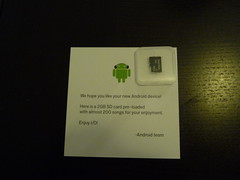
100% recyclable tofu style packaging and a 2GB SD card with 200 songs including Blue Oyster Cult's Godzilla!


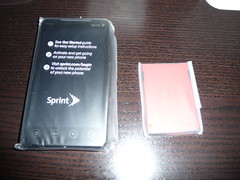
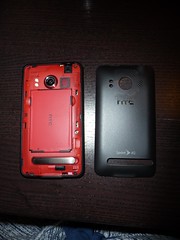
Phone and battery, nice touch with matching battery.


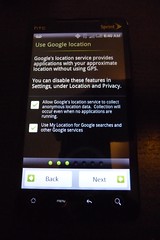
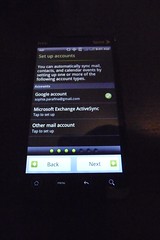
Set up screens for Google location, email, and social media.


Size comparison of devices: iPad, HTC EVO G4, Motorola Droid, iPod Touch, HTC myTouch, Nokia 2610